Templates, images, hotkeys - one window
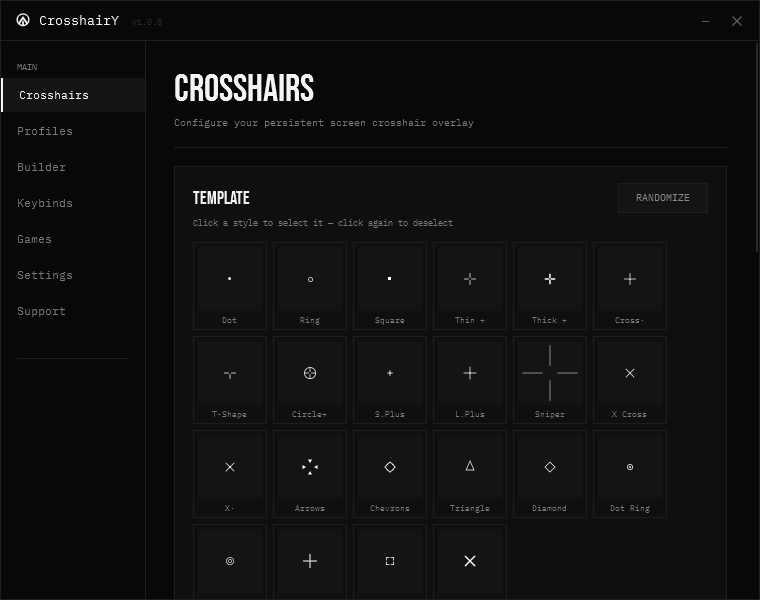
Dot, Ring, Sniper, X Cross, Chevrons, Corners, Dot Ring, or import your own PNG/JPG/BMP/GIF as a crosshair. Bind any template, drawn, or image crosshair to a hotkey for instant switching. Size from 50% to 200%, opacity, outline, center-gap and drag positioning on every type.
Build your own crosshair
Draw a custom design on a 15, 30 or 60 grid with pencil, eraser, fill, line, rectangle and ellipse. Mirror left/right, up/down or 4-way for clean symmetry, with full undo and redo. Save it to your collection and drag it anywhere on screen.
Designed to get out of your way
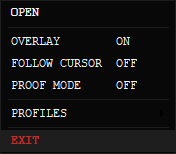
Follow-cursor mode replaces the Windows pointer so the crosshair tracks with zero lag, then restores the instant it's off. Nudge it off-center with exact X/Y offset, pick which monitor it lives on, and the overlay stays topmost even in aggressive fullscreen games.
Free and fully open-source
Every part of CrosshairY is public under the MIT license. Read it, audit it, fork it or build it yourself with one build.bat. No exceptions.
Proof mode for clean clips
One keypress flags the overlay with WDA_EXCLUDEFROMCAPTURE, so OBS, Discord screenshare and clips simply can't see it. Your screen keeps the crosshair; the recording doesn't.
Profiles that follow your games
Save configs as plain .json, then map a profile to a game and CrosshairY loads it the moment that game takes focus - with optional auto-revert when you alt-tab out. Auto-update keeps you on the latest release, and it can start with Windows.